
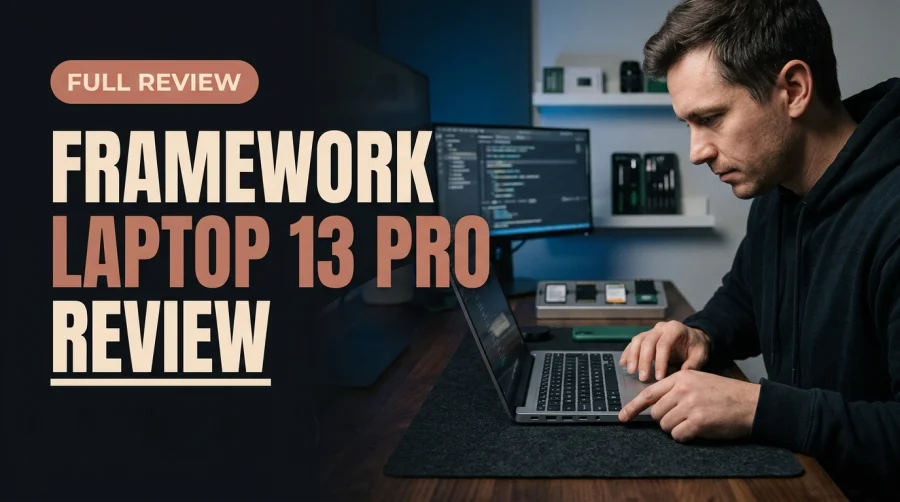
The 2026 Framework Laptop 13 Pro proves that modular, repairable hardware no longer requires sacrificing modern compute speed. Combining an Intel Core X9 388H processor, capable Intel Arc B390 integrated graphics, hot-swappable Expansion Cards, and first-class Linux compatibility, it delivers a sustainable workstation engineers can upgrade and keep for a decade.
A Laptop Engineered to Last a Decade
In an ultraportable market dominated by glued batteries, soldered memory, and sealed logic boards, the Framework Laptop 13 Pro remains an unapologetic outlier. For years, skeptics argued that modular notebooks were destined to lag behind sealed competitors in processor efficiency or graphics muscle. The 2026 refresh puts that argument to rest. By integrating Intel's Core X9 388H silicon alongside Arc B390 integrated graphics inside its familiar repairable chassis, Framework demonstrates that longevity and flagship responsiveness can coexist.
Physically, the Framework Laptop 13 Pro is slightly thicker than an M5 MacBook Air. That extra millimeter or two is not wasted space—it is the structural foundation that enables recessed hot-swappable port bays, socketed memory and storage slots, and a user-replaceable mainboard. For software engineers, systems administrators, and hardware tinkerers, trading razor-thin vanity for complete ownership of every internal component is an easy bargain.
Intel Core X9 388H and Arc B390 Graphics Performance
Performance on the Framework Laptop 13 Pro centers on the Intel Core X9 388H processor paired with Intel Arc B390 integrated graphics. Together, they turn a compact 13-inch machine into a nimble daily driver capable of handling demanding Windows and Linux workflows without hesitation.
Multi-Threaded Productivity and Developer Workloads
Compiling large codebases, running containerized microservices, and juggling dozens of browser tabs alongside local virtual machines feel effortlessly snappy on the Core X9 388H. Because the laptop lets you configure and later expand system RAM rather than trapping you with whatever memory tier you could afford at checkout, heavy developers can scale their workstation as project requirements grow.
Intel Arc B390 Integrated Graphics Muscle
Integrated graphics used to be an afterthought on modular laptops, barely adequate for desktop compositing and video playback. The Intel Arc B390 changes that equation substantially. Hardware-accelerated video decoding, multi-monitor high-resolution output, light creative editing, and casual gaming run smoothly without needing a bulky discrete GPU. On both Windows and modern Linux graphics stacks, the Arc B390 delivers crisp desktop responsiveness and reliable driver maturity.
True Modularity: Expansion Cards and Zero Soldered Traps
The defining feature of the Framework Laptop 13 Pro is its mechanical openness. Every major wear item and performance bottleneck can be serviced, swapped, or upgraded by the owner using a single included screwdriver—no proprietary pentalobe bits, heat guns, or manufacturer repair gatekeeping required.
Hot-Swappable Custom Port Layout
Instead of forcing you into a fixed selection of ports or a backpack full of dongles, Framework's Expansion Card system lets you tailor your I/O to the exact task at hand. In seconds, you can snap in any combination of USB-C, HDMI, DisplayPort, microSD, or 2.5G Ethernet modules—and place them on whichever side of the chassis fits your desk layout. Need wired 2.5G Ethernet in a server closet today and dual HDMI plus microSD on a travel shoot tomorrow? You simply slide out one card and click in another.
Upgradeable Mainboards, RAM, and Storage
Unlike mainstream ultrabooks that solder RAM and storage directly onto the motherboard to force full-device replacements every three years, the Framework Laptop 13 Pro eliminates soldered RAM and SSD traps entirely. Even better, its modular mainboard architecture means you can drop in a future-generation CPU board years from now while keeping your existing display, keyboard, chassis, and Expansion Cards—extending the machine's useful lifespan toward a full decade.
Framework Laptop 13 Pro Modular Architecture Breakdown
Component Framework Laptop 13 Pro Design Long-Term Ownership Benefit
Processor & GPU Intel Core X9 388H with Intel Arc B390 graphics Strong Windows and Linux compute without discrete bulk
You May Also Like
Port System Hot-swappable USB-C, HDMI, DisplayPort, microSD, 2.5G Ethernet Zero dongles; customizable left/right I/O layout
Memory & Storage Socketed, zero soldered RAM/SSD traps DIY upgrades anytime with one included screwdriver
Mainboard Fully replaceable modular logic board Future CPU upgrades without replacing the whole laptop
Operating Systems Windows plus officially tested Ubuntu and Fedora Out-of-the-box Wi-Fi, sleep, and driver reliability
First-Class Linux Support Without Driver Headaches
Many Windows ultrabooks treat Linux as an unsupported afterthought, leaving developers to wrestle with broken suspend states, flaky wireless cards, or finicky firmware updates. The Framework Laptop 13 Pro is officially tested and supported on both Ubuntu and Fedora, delivering rock-solid Wi-Fi connectivity, dependable sleep-wake behavior, and smooth kernel compatibility right out of the box.
Why Official Linux Validation Matters
When a laptop vendor actively validates mainstream Linux distributions alongside Windows, engineers save hours of post-install troubleshooting. Firmware updates, power management, and Expansion Card hot-plugging behave predictably across OS updates, making the Framework Laptop 13 Pro one of the most dependable Linux laptops on the market in 2026.
Standout Reasons Engineers Choose Framework Laptop 13 Pro
- Custom Port Layout: Swap USB-C, HDMI, DisplayPort, microSD, and 2.5G Ethernet modules in seconds to match any environment.
- Zero Soldered RAM or SSD Traps: Upgrade memory and NVMe storage yourself using the single included screwdriver.
- First-Class Linux Experience: Officially tested on Ubuntu and Fedora with zero Wi-Fi or sleep headaches.
- Balanced Core X9 388H Power: Combines strong CPU throughput with capable Intel Arc B390 integrated graphics.
Step-by-Step Guide to Customizing Your Framework Laptop 13 Pro
- Plan Your Expansion Card Kit: Start with at least two USB-C modules for charging and peripherals, then add HDMI, DisplayPort, microSD, or 2.5G Ethernet based on your daily workflow.
- Size RAM and Storage for Today: Install the memory and SSD capacity you need now, knowing you can upgrade both in minutes later without replacing the machine.
- Choose Your Preferred OS: Deploy Windows, Ubuntu, or Fedora confidently with full hardware validation and clean driver support.
- Keep the Included Screwdriver Handy: Store the included tool in your desk or travel pouch for quick port swaps, cleaning, or future mainboard upgrades.
It's slightly thicker than an M5 MacBook Air, but owning a machine powered by Intel Core X9 388H that you can repair, customize, and upgrade for a decade is priceless.
Frequently Asked Questions
Is the Framework Laptop 13 Pro fast enough for professional development?
Yes. Equipped with the Intel Core X9 388H processor and Intel Arc B390 integrated graphics, it handles Windows and Linux development workloads, multitasking, and graphics acceleration smoothly.
Which ports can I use on the Framework Laptop 13 Pro?
You can hot-swap Expansion Cards in seconds, choosing from USB-C, HDMI, DisplayPort, microSD, and 2.5G Ethernet modules arranged in whatever layout suits your setup.
Does the Framework Laptop 13 Pro work well with Linux?
Yes. It offers first-class Linux support and is officially tested on Ubuntu and Fedora, avoiding common Wi-Fi, sleep, and hardware compatibility headaches.
Are the RAM and SSD soldered on the Framework Laptop 13 Pro?
No. There are zero soldered RAM or SSD traps—you can upgrade memory, storage, and even the mainboard yourself using the single included screwdriver.






Comments (0)
Leave a Comment