

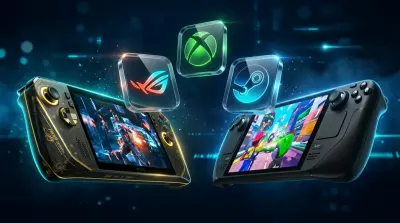
Grand Theft Auto VI launched exclusively on consoles on November 19, 2026, without a native PC release yet, but you can play GTA 6 on your ROG Ally or ROG Xbox Ally today using Xbox Remote Play. Enable Remote Features and Sleep mode on your Xbox console, wire it over Ethernet, and stream on 5GHz Wi-Fi via xbox.com/remoteplay.
Why Xbox Remote Play Is the Fastest Way to Play GTA 6 Handheld
Because Rockstar Games focused its November 19, 2026 console launch on Xbox Series X|S and PlayStation 5, Windows handheld owners cannot install a native PC build yet. As highlighted in the official ASUS ROG guide to playing GTA 6 on ROG Ally with Xbox Remote Play, streaming directly from your own Xbox console gives you crisp 1080p gameplay on the Ally's 7-inch display with far longer battery life and whisper-quiet fans compared to rendering heavy AAA games locally.
| Setting Category | Recommended Configuration | Why It Matters for GTA 6 |
|---|---|---|
| Xbox Console Network | Wired Gigabit Ethernet cable | Eliminates wireless double-hop packet loss and frame stutter |
| ROG Ally Wi-Fi Band | 5GHz or 6GHz Wi-Fi (minimum 10 Mbps up/down) | Keeps steering and aiming latency low across Leonida |
| Console Power Option | Sleep mode enabled | Lets your ROG Ally wake the Xbox remotely from anywhere |
| Streaming Client | Browser at xbox.com/remoteplay | Delivers up to 1080p video with clean browser bitrate handling |
| ROG Ally Operating Mode | Silent 10W or Performance 15W | Extends handheld battery life to 3 to 4+ hours while Xbox renders |
Step 1 Configure Your Xbox Series X or S for Remote Play
Before picking up your ROG Ally or ROG Xbox Ally, your home console needs two core permissions enabled so it accepts incoming stream requests and wakes up cleanly when you play from bed, another room, or a hotel.
- Press the Xbox button on your controller and go to Profile & system > Settings > Devices & connections > Remote features.
- Check the box labeled Enable remote features so your console permits remote streaming connections.
- Navigate to Settings > General > Power options and choose Sleep instead of Shutdown (energy saving). Without Sleep mode, your handheld cannot wake the console remotely.
- Run the built-in Test remote play check inside the Remote features menu to confirm your NAT type is Open and your upload speed clears at least 10 Mbps with low packet loss.
- Connect a Cat6 Ethernet cable directly from your router into the back of your Xbox Series X|S so only the handheld relies on Wi-Fi.
Step 2 Launch GTA 6 on Your ROG Ally or ROG Xbox Ally
Microsoft transitioned Xbox Remote Play into the web browser at xbox.com/remoteplay, which runs smoothly in Microsoft Edge or Google Chrome on Windows 11 handhelds without bulky legacy apps. Before launching your stream, open Armoury Crate Command Center and switch Control Mode from Auto to Gamepad Mode so every trigger, bumper, and thumbstick registers accurately.
Browser Setup and Full-Screen Tips
- Open Microsoft Edge on your ROG Ally and sign in at
xbox.com/remoteplayusing the exact Microsoft account linked to your Xbox console. - Click the app-install icon in Edge's address bar to save Xbox Remote Play as a Progressive Web App (PWA), then add it to Armoury Crate SE for one-tap full-screen launches.
- Lock your ROG Ally to a dedicated 5GHz or Wi-Fi 6E SSID rather than a crowded 2.4GHz band to eliminate random video macro-blocking.
- Set the ROG Ally display to 60Hz in Command Center while streaming, since Remote Play outputs up to 60 FPS and matching the refresh rate cuts screen tearing and saves extra battery.
Because your Xbox console handles 100% of the GPU rendering for GTA 6, dropping your ROG Ally to Silent 10W mode cuts fan noise to near zero and doubles handheld battery life with zero loss in visual fidelity.
Best Bitrate and Network Tweaks for Zero-Lag Gameplay
High-speed highway chases, rain reflections, and neon-lit nights in Vice City expose video compression quickly whenever a home network gets congested. Applying a few router and browser adjustments keeps the video stream sharp and responsive.
Optimizing Wi-Fi Bandwidth and Router QoS
Although Microsoft lists 10 Mbps as the minimum threshold, keeping at least 25 Mbps of clean local throughput prevents automatic bitrate dips during fast camera pans. Inside your router admin page, enable QoS (Quality of Service) or WMM prioritization for both your Xbox console and your ROG Ally so background 4K movie streams or cloud backups never spike your ping.
You May Also Like
Browser Hardware Acceleration and Audio Sync
Open Microsoft Edge settings, search for Use graphics acceleration when available, and verify it is toggled on so the ROG Ally's Ryzen APU decodes the incoming video stream in hardware with minimal frame delay. If Bluetooth earbuds introduce a slight gunshot delay, plug in wired 3.5mm headphones or use a 2.4GHz USB-C wireless gaming dongle for instant audio sync.
Using Armoury Crate Custom Back Paddles
Map the ROG Ally's M1 and M2 rear paddles to thumbstick clicks (L3 and R3) inside Armoury Crate SE. That makes sprinting, looking behind your vehicle, and activating character abilities much more comfortable during multi-hour GTA 6 sessions.
Frequently Asked Questions
Can I play GTA 6 natively on ROG Ally without a console?
No. As of late November 2026, GTA 6 is available only on Xbox Series X|S and PS5. You must own the game on an Xbox console and stream it via Xbox Remote Play, or use PlayStation Remote Play if you own the PS5 edition.
Does Xbox Remote Play require an Xbox Game Pass subscription?
No. Streaming games you own directly from your home Xbox console via Xbox Remote Play is completely free and does not require Game Pass Ultimate.
What internet speed do I need to stream GTA 6 on ROG Ally?
Microsoft recommends at least 10 Mbps download and upload speed on a 5GHz Wi-Fi connection, with your Xbox wired over Ethernet for the lowest possible input lag.
Can I use Xbox Remote Play away from my home Wi-Fi?
Yes. As long as your Xbox remains in Sleep mode with Remote Features turned on and your home internet maintains a stable upload speed above 10 Mbps, you can wake the console and play GTA 6 over hotel Wi-Fi or a 5G hotspot.


Comments (0)
Leave a Comment